

Supported Data Models
-
Issues (AppSec)
- type:
code
- type:
-
Vulnerability Findings V2
- type:
code
- type:
-
Resources
- type:
branch
- type:
Onboarding SonarQube / SonarCloud
Follow the steps below to onboard your environment to our SonarQube / SonarCloud integration.1
Generate a User Token
- Log in to your SonarCloud account at sonarcloud.io (or your self-hosted SonarQube instance).
- Navigate to My Account by clicking on your profile avatar in the top-right corner.
- Go to the Security tab.
-
Under Generate Tokens, enter a name for your token (e.g., “Leen Integration”) and click Generate.
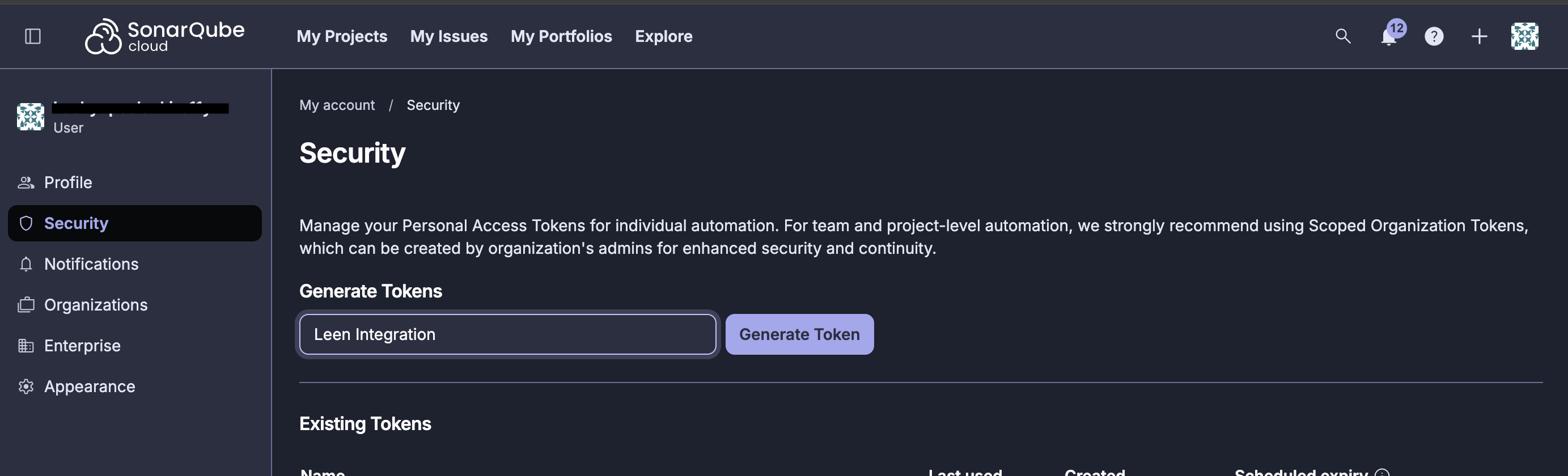
2
Get Your Organization Key
- Navigate to your organization’s page in SonarCloud.
-
The organization key can be found in the URL:
https://sonarcloud.io/organizations/{organization-key}/projects -
Alternatively, go to Organization Settings and copy the Organization Key.
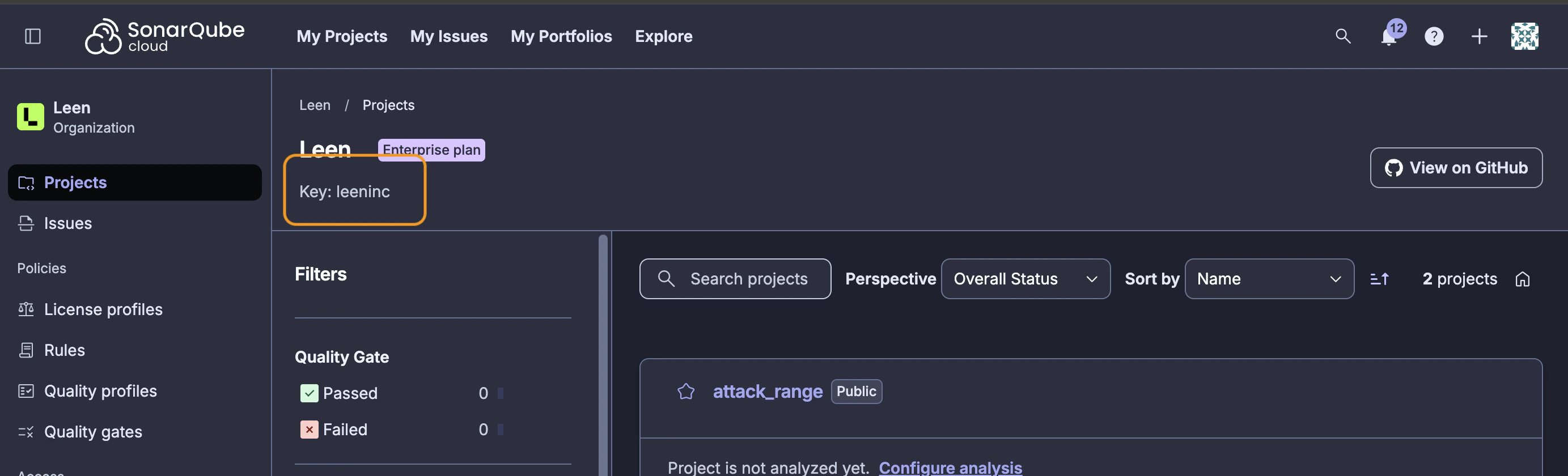
3
Enter Configuration Parameters in Leen
In your Leen integration configuration, provide the following:
For self-hosted SonarQube instances, update the Base URL to point to your instance (e.g.,
https://sonarqube.yourcompany.com).Required Permissions
The user token must have access to the following:- Browse permission on all projects you want to sync
- Execute Analysis permission (optional, but recommended for complete data access)
For organization-level access, ensure the token belongs to a user who is a member of the organization with appropriate permissions to view all relevant projects.
Severity Mapping
SonarQube severities are mapped to Leen’s unified severity model as follows:State Mapping
SonarQube issue states are mapped to Leen’s unified state model as follows:Data Synced
The SonarQube integration syncs the following data:- Issues: Code quality and security issues detected by SonarQube analysis
- Security Hotspots: Security-sensitive code that requires review
- Projects/Components: Repository and project information