

Supported Data Models
-
Vulnerability Findings
- type:
domain
- type:
-
Resources
- type:
vendor
- type:
- TPRM Findings
- TPRM Companies
Onboarding BitSight
Follow the steps below to onboard your environment to our BitSight integration.Important Security Notes
The Company API Token is displayed only once for security purposes. Store it securely immediately after generation.
1
Log in to BitSight Platform
Log in to your BitSight portal using an account with admin privileges.
2
Navigate to User Preferences
- Go to Settings ➔ Account ➔ User Preferences.
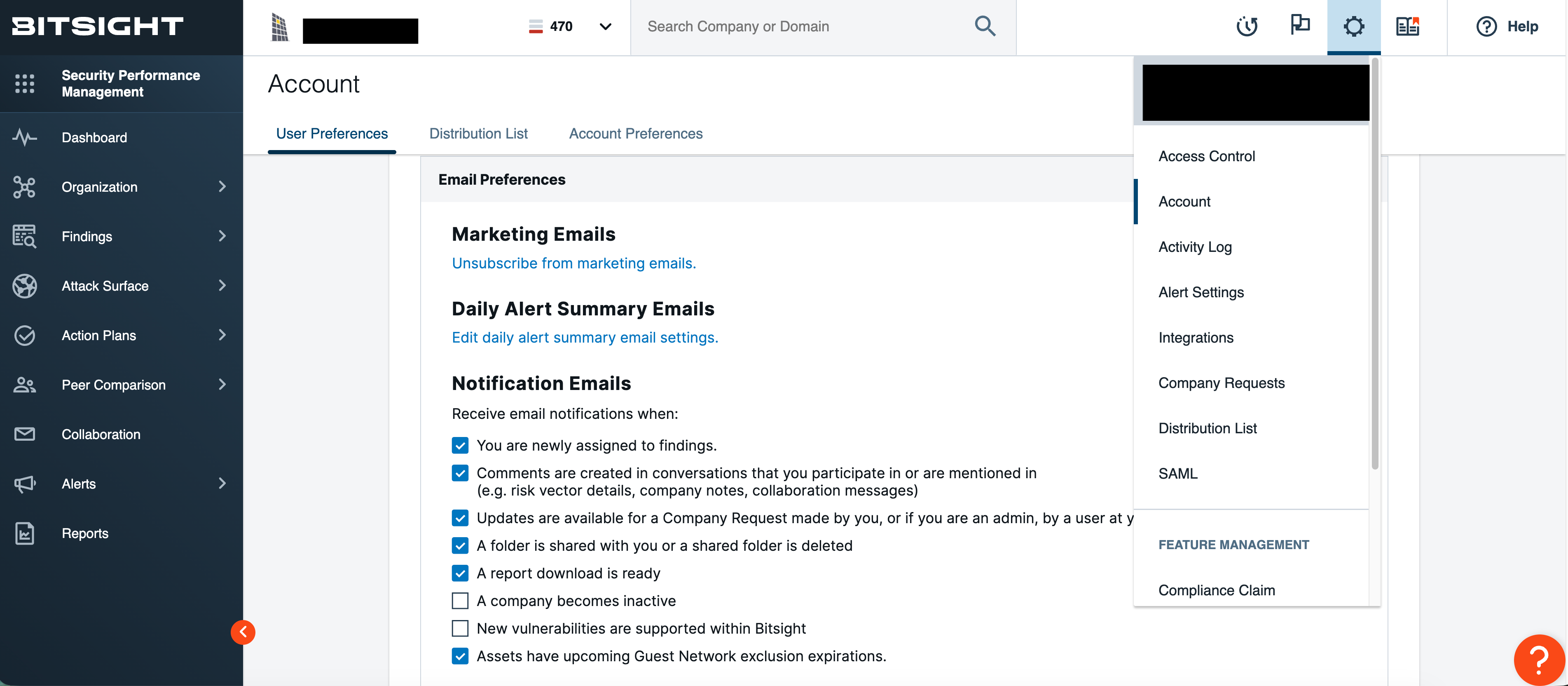
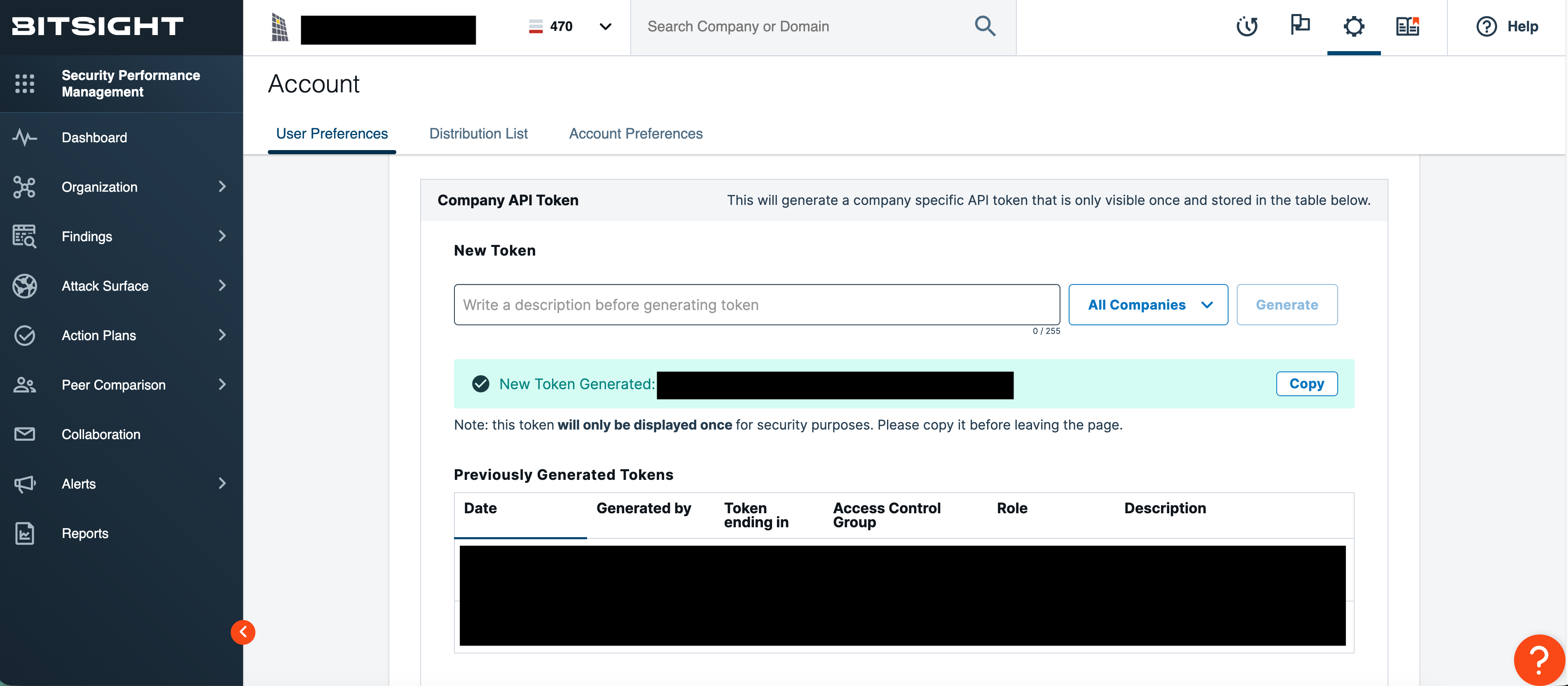
- Locate the Company API Token sections.
3
Generate a Company API Token
- In the Company API Token section, enter a clear description in the New Token field (e.g., “Leen TPRM Data Collection”).
- Click Generate.
- Immediately copy the generated token and store it in a secure location (e.g., password manager).
Note: Company API tokens have admin privileges.
4
Enter Configuration Parameters in Leen
In your Leen integration configuration, provide the following parameter:
- Username: The generated Company API Token from the previous steps.