

Supported Data Models
-
Vulnerability Findings
- type:
domain
- type:
-
Resources
- type:
vendor
- type:
- TPRM Findings
- TPRM Companies
Onboarding SecurityScorecard
Follow the steps below to onboard your environment to our SecurityScorecard integration.1
Login to SecurityScorecard
Log in to your SecurityScorecard platform using an account with appropriate permissions to generate API tokens.
2
Navigate to API Token Generation
- Click on your profile icon in the top-right corner.
- Select My Settings from the dropdown menu.

- Navigate to the API from the left settings pane.
- Click on Generate New API Token.
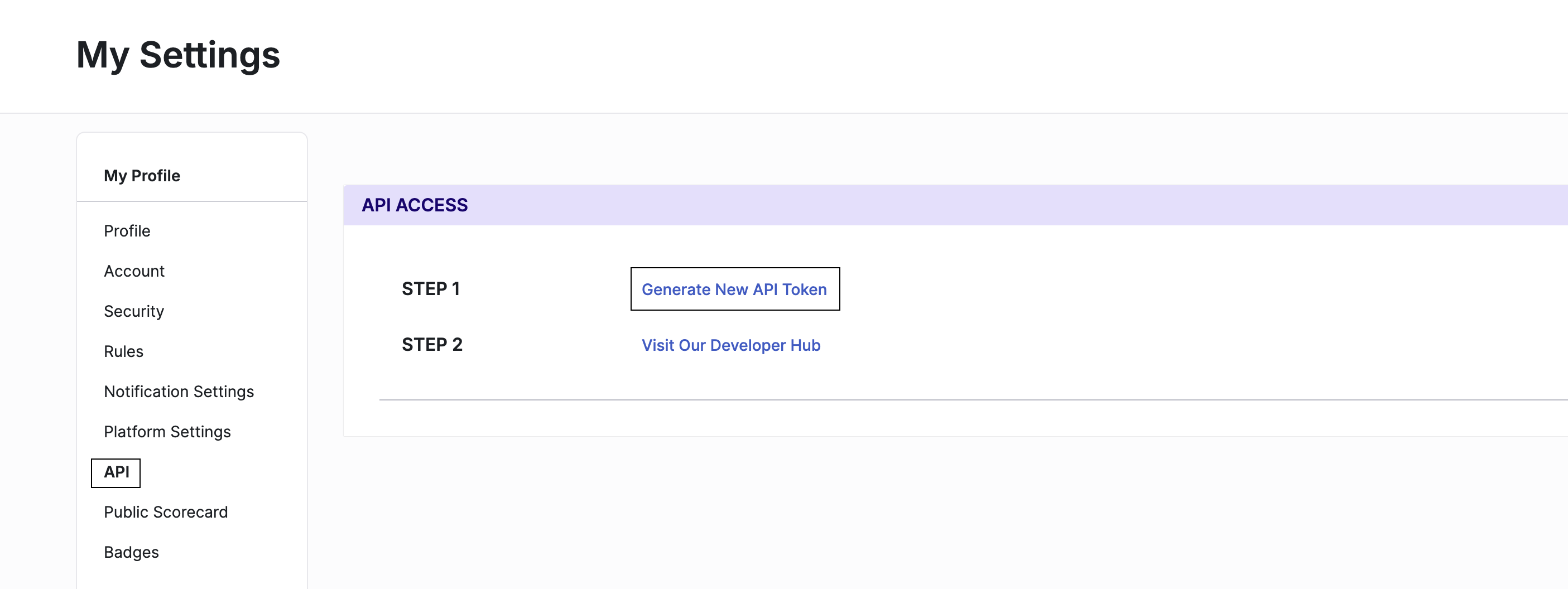
- A confirmation prompt will appear. Click Confirm to generate the token.
3
Copy API Token
Copy the generated token immediately and store it in a secure location.
4
Enter Credentials
After generating API Key, Add API key to SecurityScorecard connector in their respective fields.